How to set up free hosting for your artist website with Netlify
March 2026. Prices in USD.
If you've built your website with Webdoline, you have a static site: a folder of files ready to upload anywhere. Netlify is one of the best places to host it, and their free plan comfortably handles a typical artist's website.
Here's how to get it online in a few minutes.
What you'll need
- Your exported Webdoline website folder
- A free Netlify account (netlify.com)
- Your domain name (optional, but recommended)
1. Create a free Netlify account
Go to netlify.com and sign up. No credit card required.
2. Deploy your site
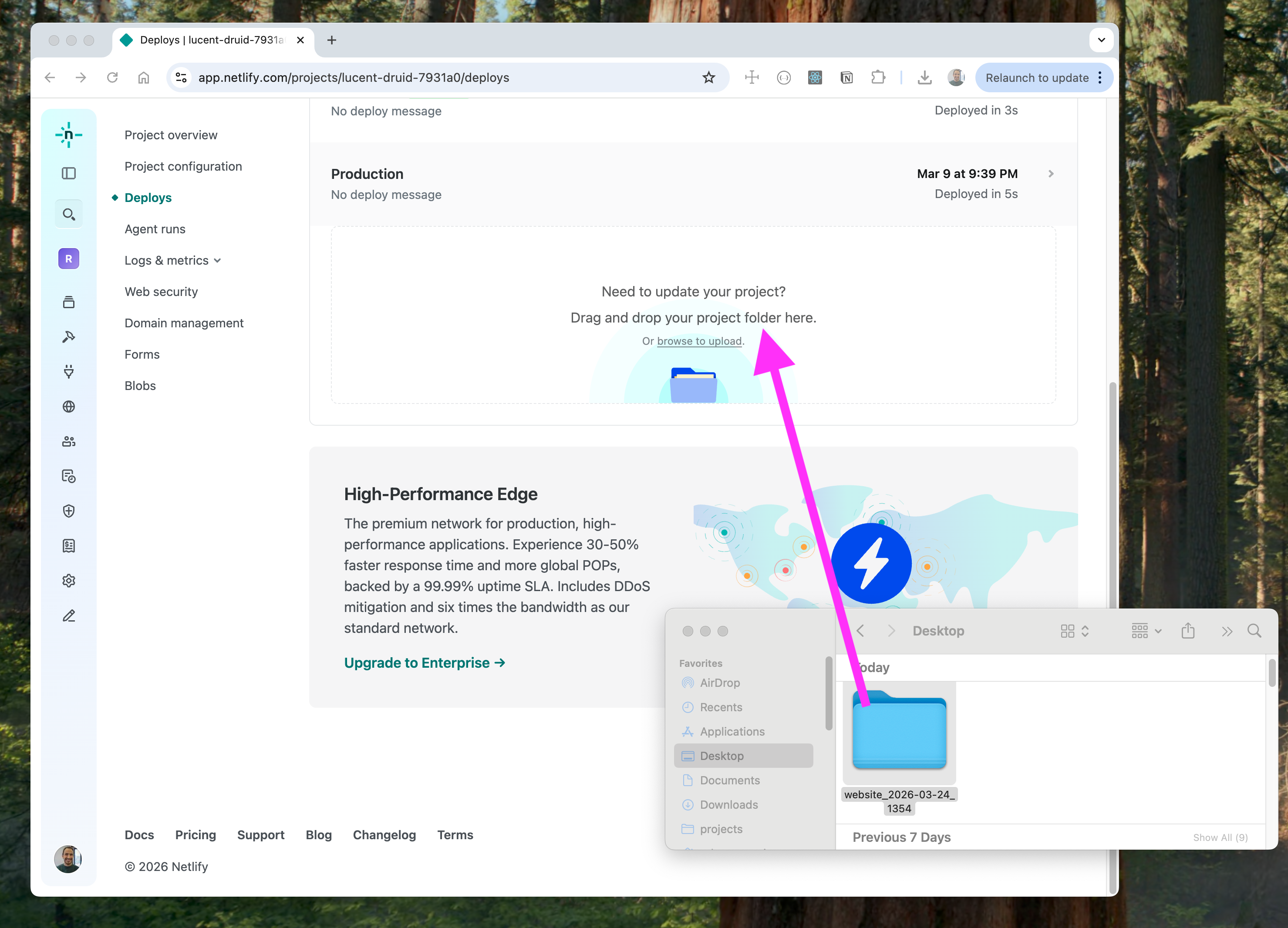
Once logged in, you'll see a dashboard with a drag-and-drop area. Drag your exported and unzipped website folder directly onto it.
Netlify uploads your files and gives you a live URL in seconds. something like something-random.netlify.app. Your website is already online.
3. Connect your custom domain
One-time operation.
If you have a domain from Namecheap or other registrar, go to Site Settings → Domain Management → Add a domain and enter your domain name.
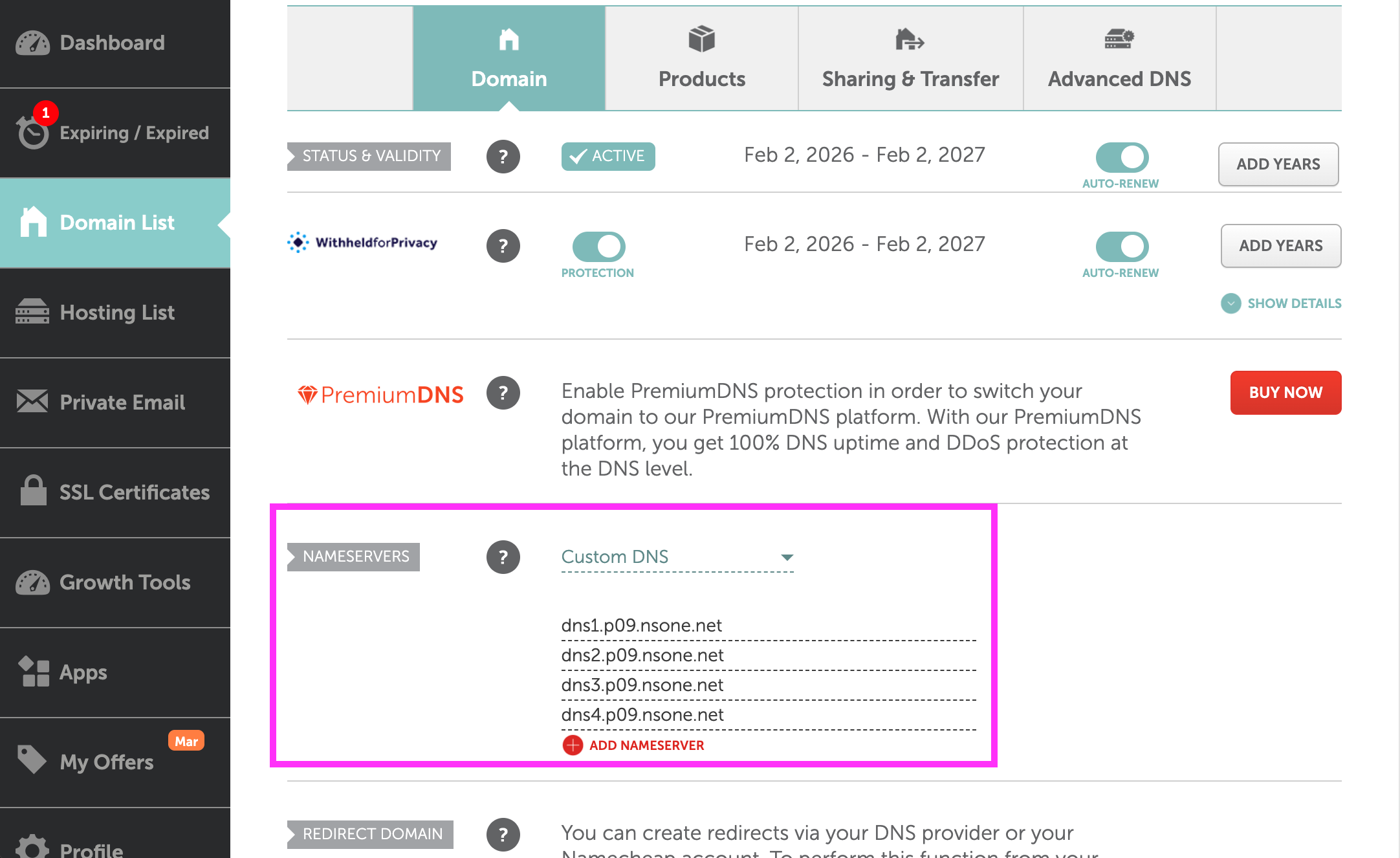
Netlify will give you DNS records (Example: "dns1.p09.nsone.net")to add to your domain registrar. That means, copy pasting 4 values in your domain registrar DNS page. This is how it looks on Namecheap.
4. Update your site
Whenever you export an updated version of your Webdoline site, drag the new folder onto the Netlify dashboard again. It deploys in seconds.
Netlify or Cloudflare Pages?
Both are excellent free options. The main differences:
- Netlify is slightly easier to set up and has a friendlier drag-and-drop interface
- Cloudflare Pages has unlimited bandwidth on the free plan and is generally faster globally
Either works perfectly for a Webdoline site.
Total cost
| Cost | |
|---|---|
| Netlify hosting | Free plan |
| Domain (optional) | ~$12/year |
your Webdoline website, live on the internet, for the price of a domain name.